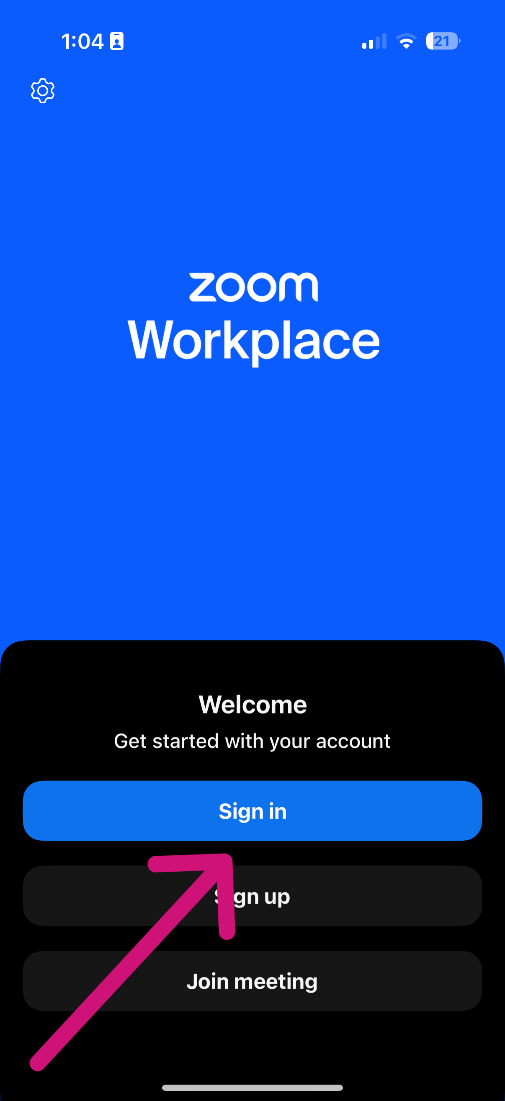
- Open the Zoom App and click on Sign in.
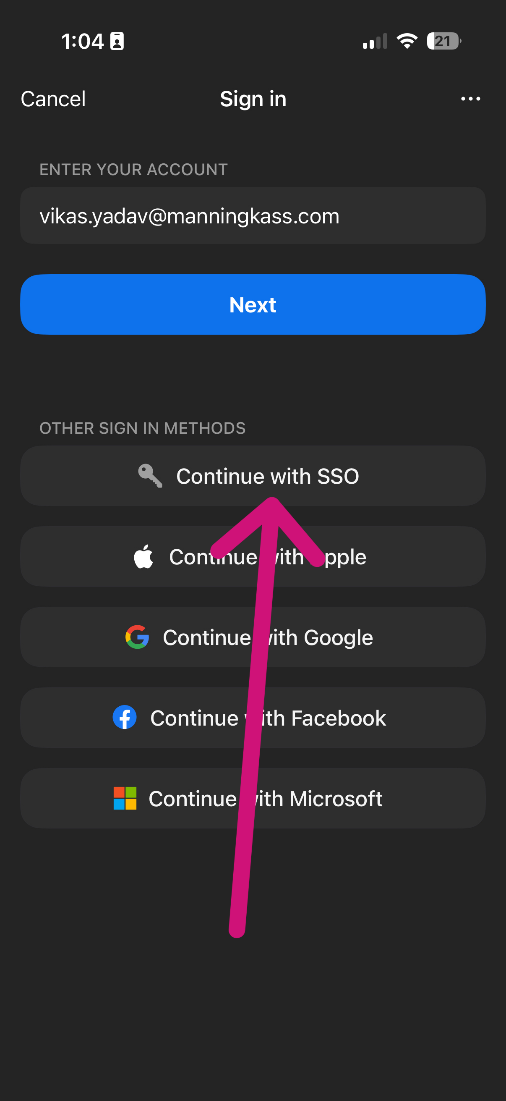
- Click on Continue with SSO.
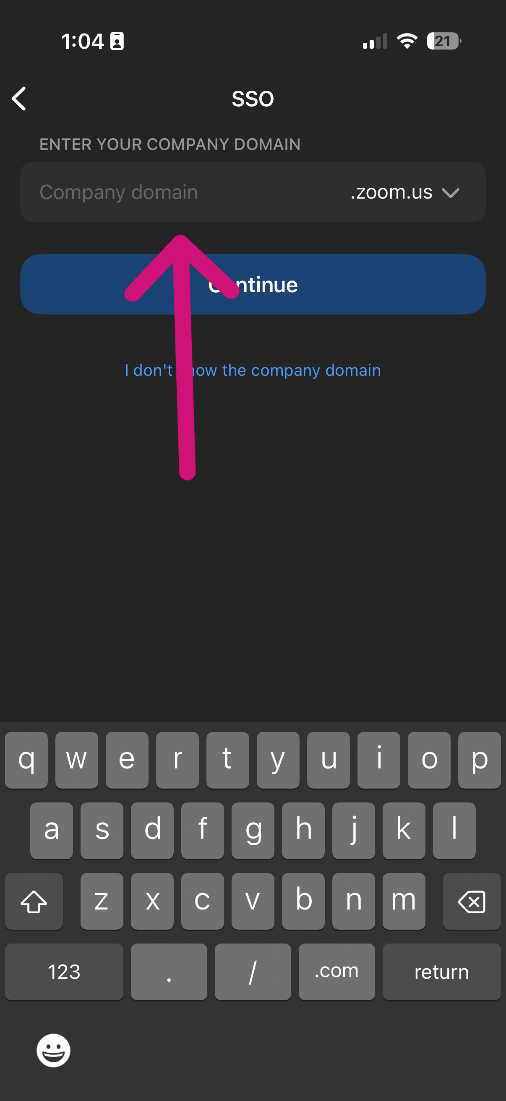
- Enter manningkass under the Company domain and click on Continue.
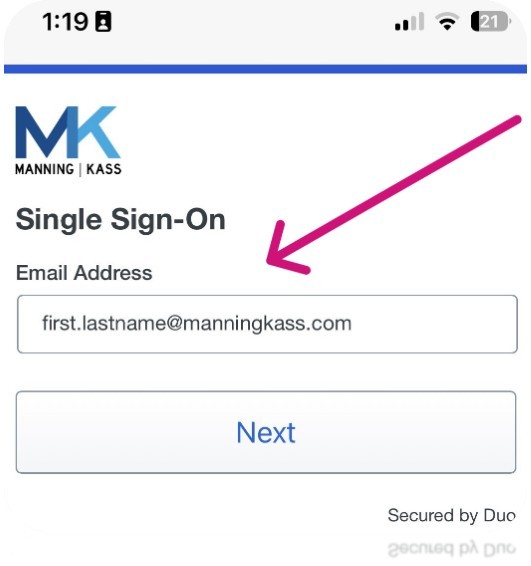
On the next screen, sign in with your full MK email address and your current Windows login password, followed by Duo Authentication.
Was this article helpful?
That’s Great!
Thank you for your feedback
Sorry! We couldn't be helpful
Thank you for your feedback
Feedback sent
We appreciate your effort and will try to fix the article