To resolve the issue of ndClick not connecting to the ND Service, perform the following steps in Google Chrome:
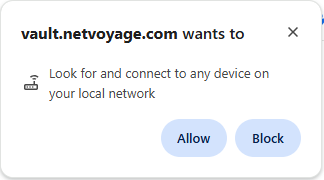
- If you see the following dialog box, click "Allow". This will enable Local Network Access for NetDocuments.
- If you do not see the dialog box above or want to validate the setting, click on the button next to the NetDocuments site URL. Next, enable the setting for "Local network access".
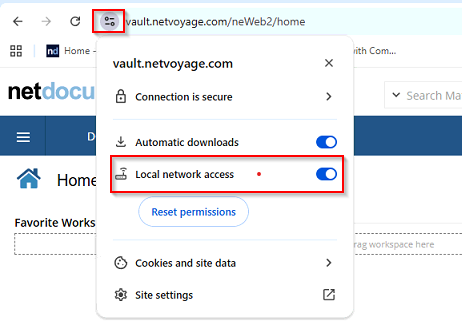
Then - refresh any browser pages that have NetDocuments open.
Resolution for Microsoft Edge
To resolve the issue of ndClick not connecting to the ND Service, perform the following steps in Microsoft Edge:
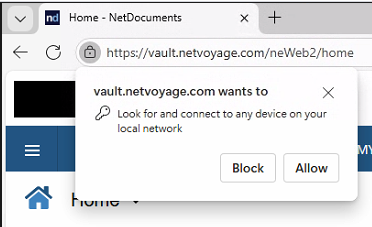
- If you see the following dialog box, click "Allow". This will enable Local Network Access for NetDocuments.
- If you do not see the dialog box above or want to validate the setting, click on the button next to the NetDocuments site URL. Next, enable the setting for "Local network access".
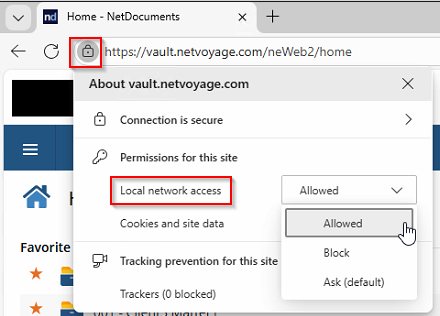
Then - refresh any browser pages that have NetDocuments open.
Was this article helpful?
That’s Great!
Thank you for your feedback
Sorry! We couldn't be helpful
Thank you for your feedback
Feedback sent
We appreciate your effort and will try to fix the article