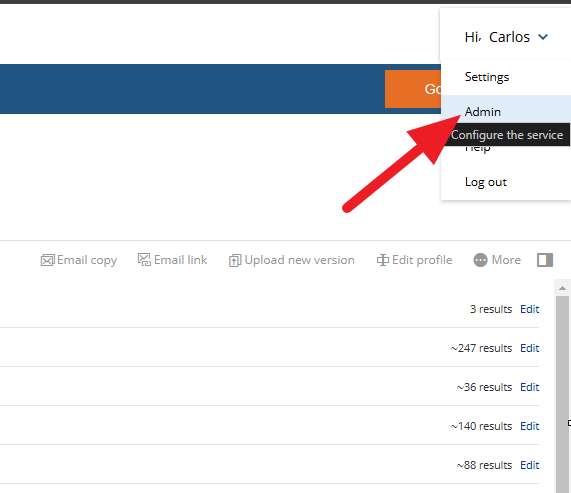
1) Click on Admin on the Top left corner in Netdocs
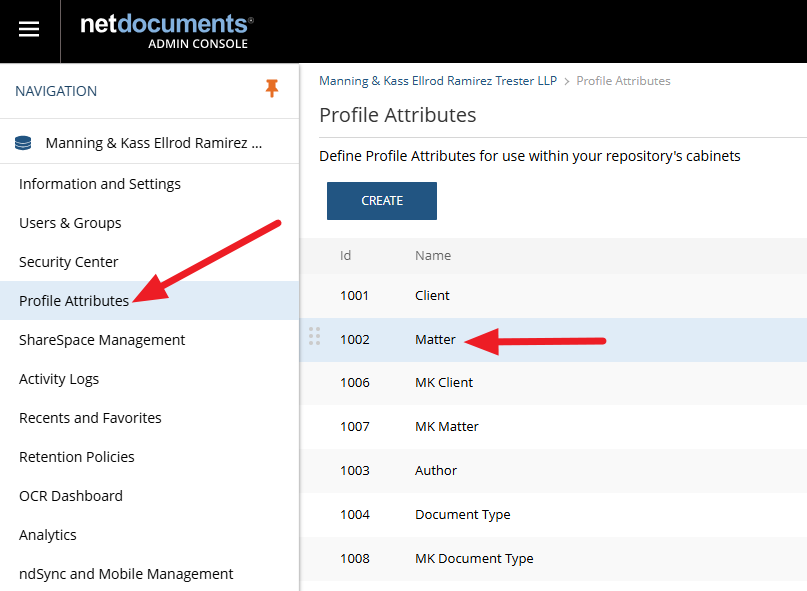
2) Then "Profile Attributes", then "Matter".
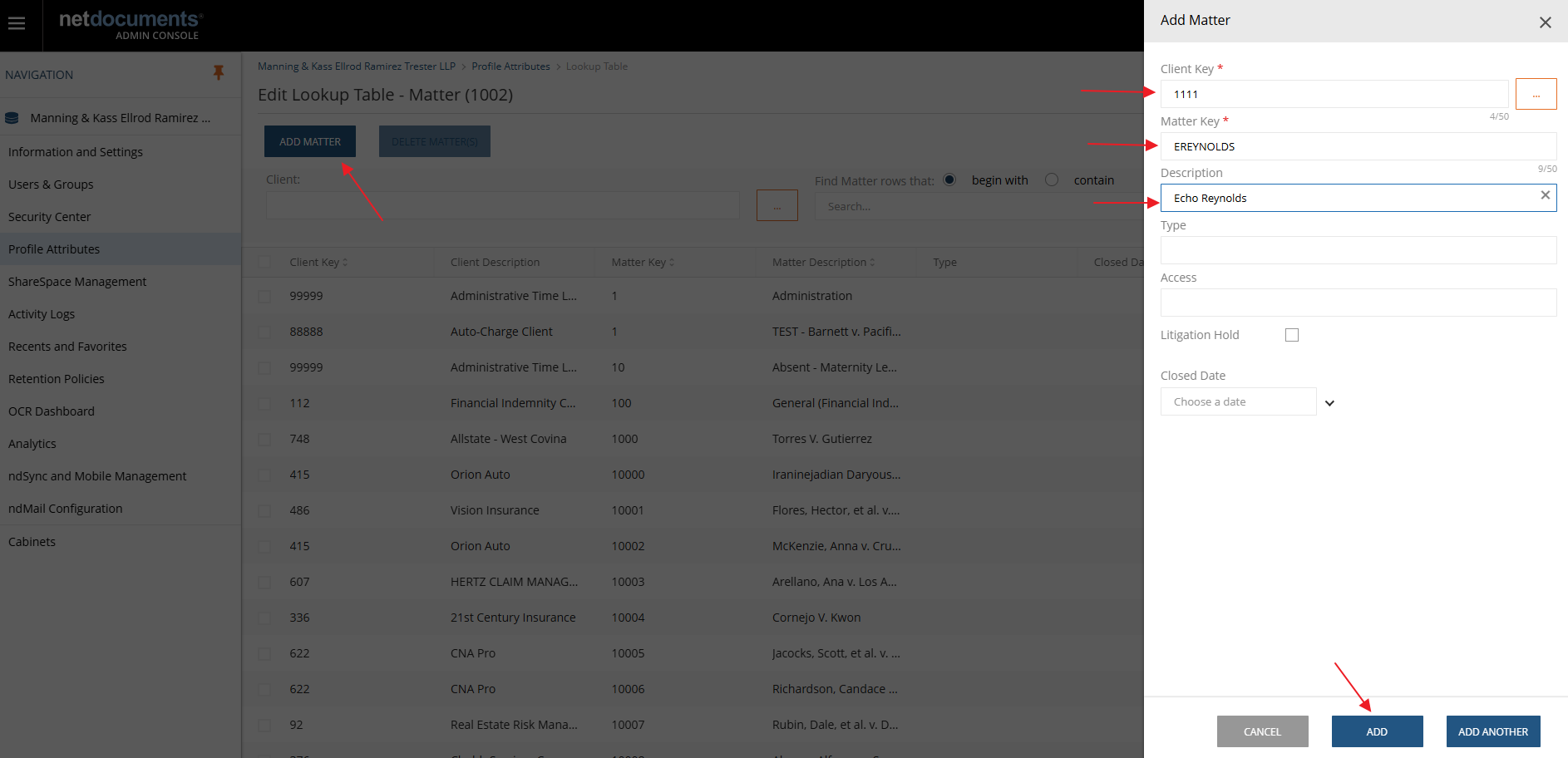
3) Click ADD MATTER--->Client Key 1111--->Matter Key (ALL CAPS) ---> Description (Full name) Then Click ADD on the bottom Right.
Was this article helpful?
That’s Great!
Thank you for your feedback
Sorry! We couldn't be helpful
Thank you for your feedback
Feedback sent
We appreciate your effort and will try to fix the article