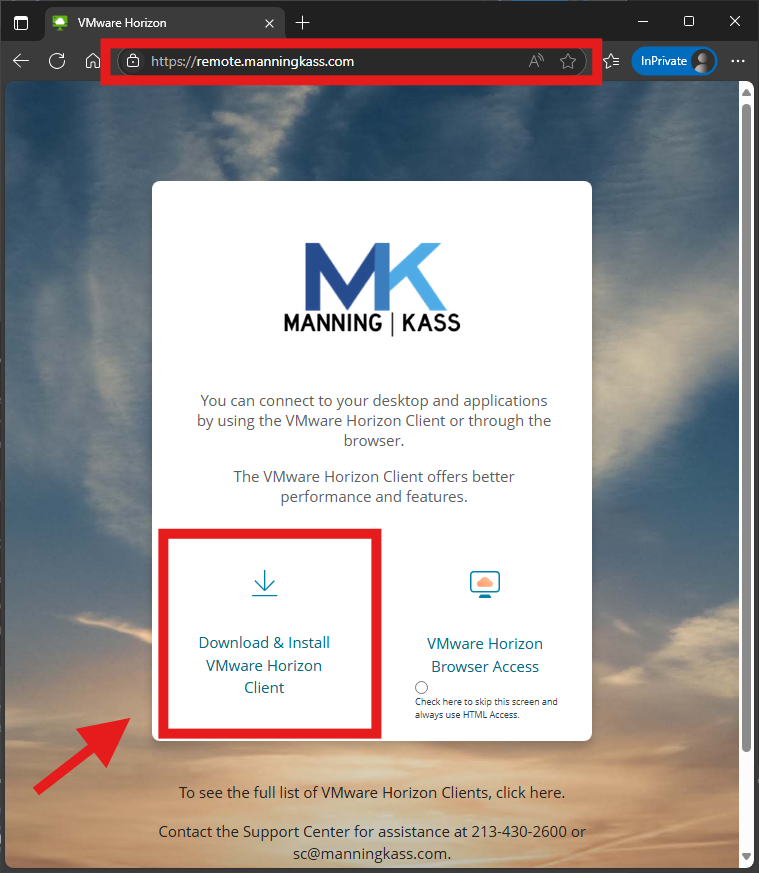
To install VMware/Omnissa Horizon Client on your laptop/computer, visit Remote.Manningkass.com and click "Download & Install VMware Horizon Client."
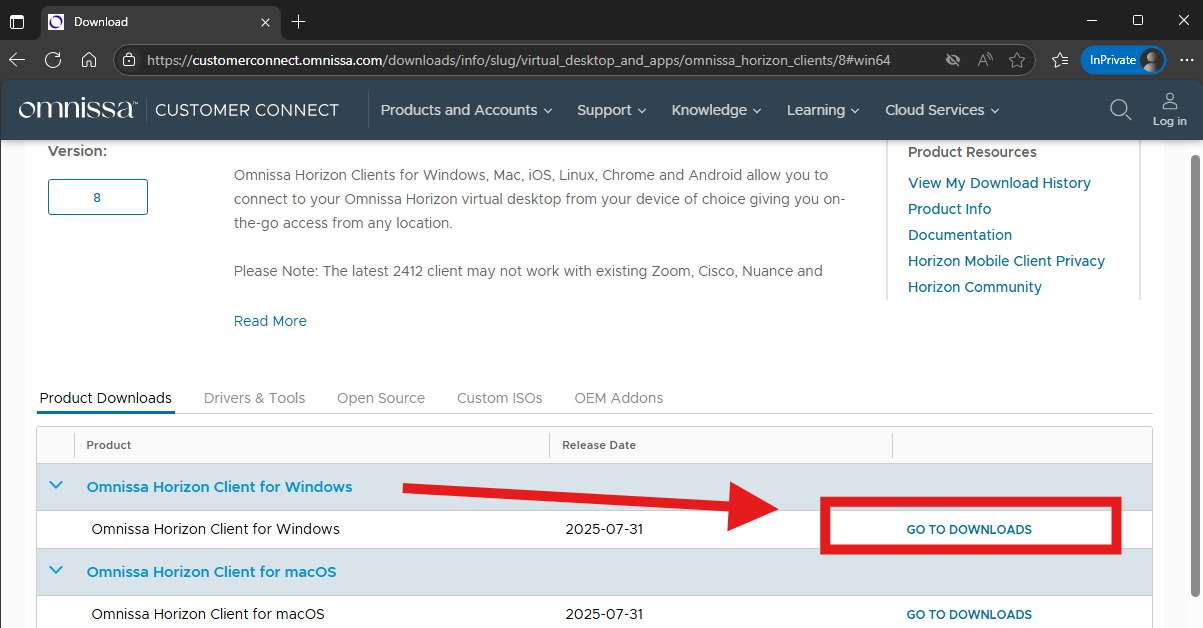
Click "GO TO DOWNLOADS" for the operating system that you need (Windows or macOS)
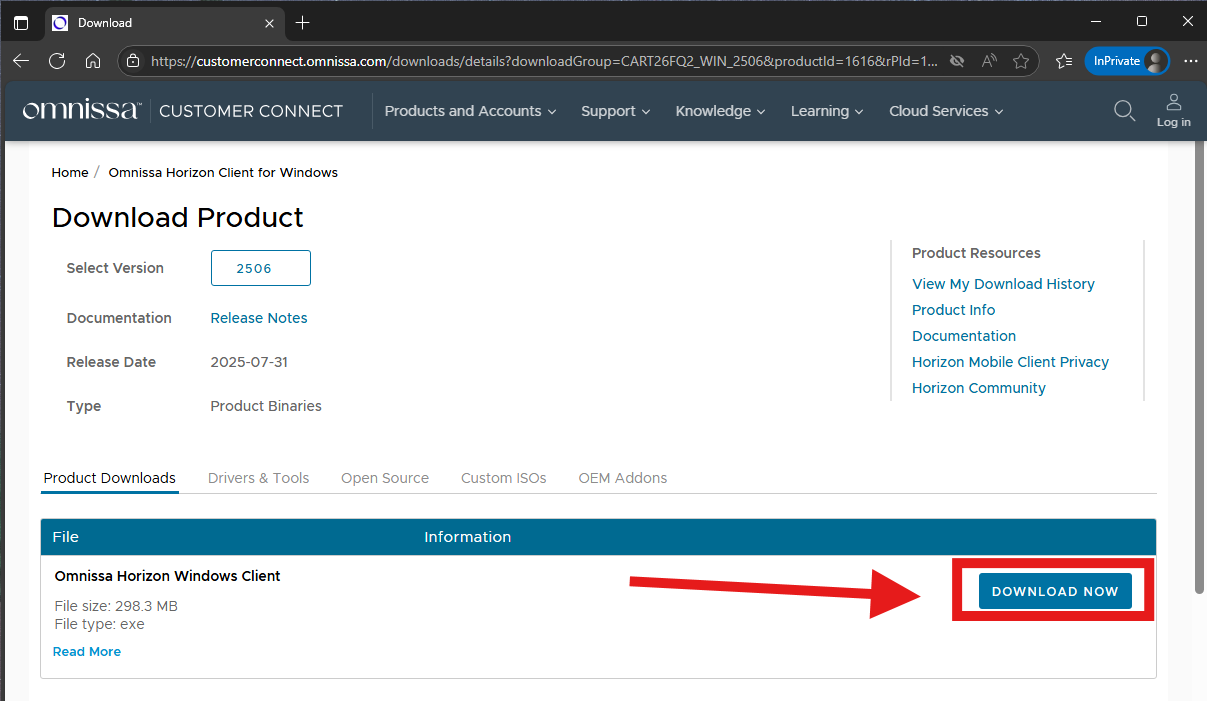
Click DOWNLOAD NOW to download the latest Omnissa Horizon Client.
Once it's finished downloading, double-click on the downloaded setup file to install the application, once installed, open the appication from the desktop and click on New Server, the name of the connection server is remote.manningkass.com
Username: (FILL IN USERNAME). Sign in with your M|K password.
On the next screen, type 1 and click Next for Duo Push Authentication.
If you need any help with this process, please let us know at Support.Center@manningkass.com.
Was this article helpful?
That’s Great!
Thank you for your feedback
Sorry! We couldn't be helpful
Thank you for your feedback
Feedback sent
We appreciate your effort and will try to fix the article